Table of Contents
Learning how to use coupon code at checkout is one of the simplest ways to save money when shopping online. At ProTravelHumidors, coupon codes may apply to all products across the store, or only to specific collections or items. Before using a code, please read the terms carefully — check the scope, minimum spend, expiration date, and whether it can be combined with other offers.
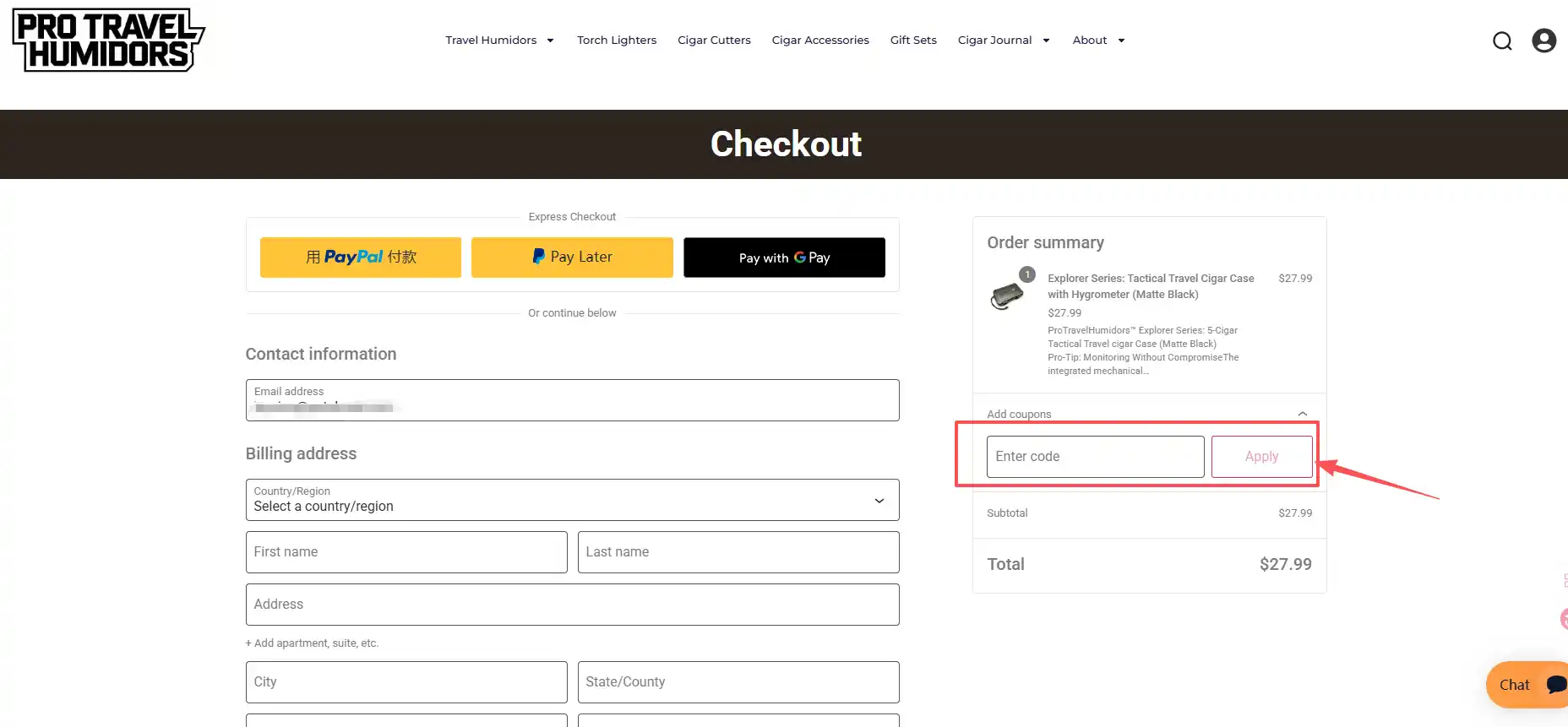
Step 1: Locate the “Add coupon” field (how to use coupon code at checkout begins here)
After adding items to your cart, click Proceed to Checkout. On the checkout page (usually near the order total) you will see an input field labeled “Add coupon” or “Gift card / Coupon”.
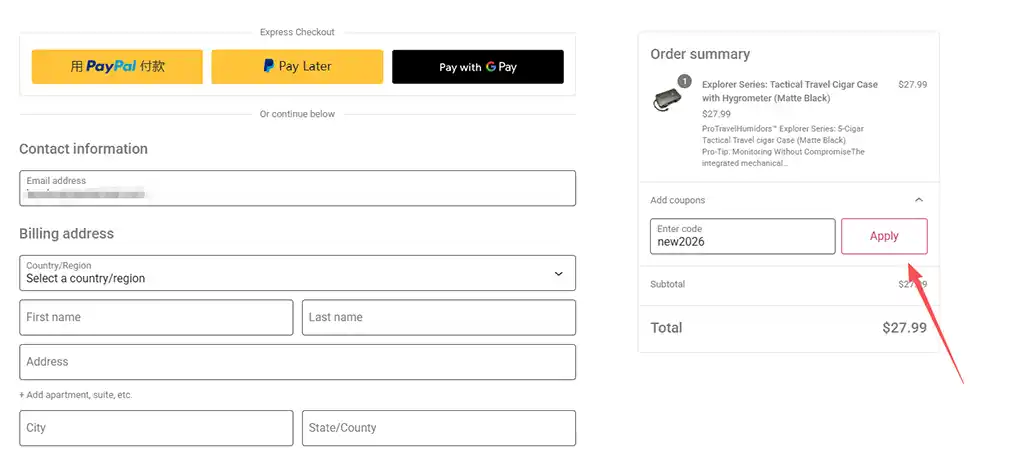
Step 2: Enter your coupon code and click Apply
Type or paste your coupon code into the input field (watch for uppercase letters and hyphens, copying directly is safer). Then click the Apply button next to the field.
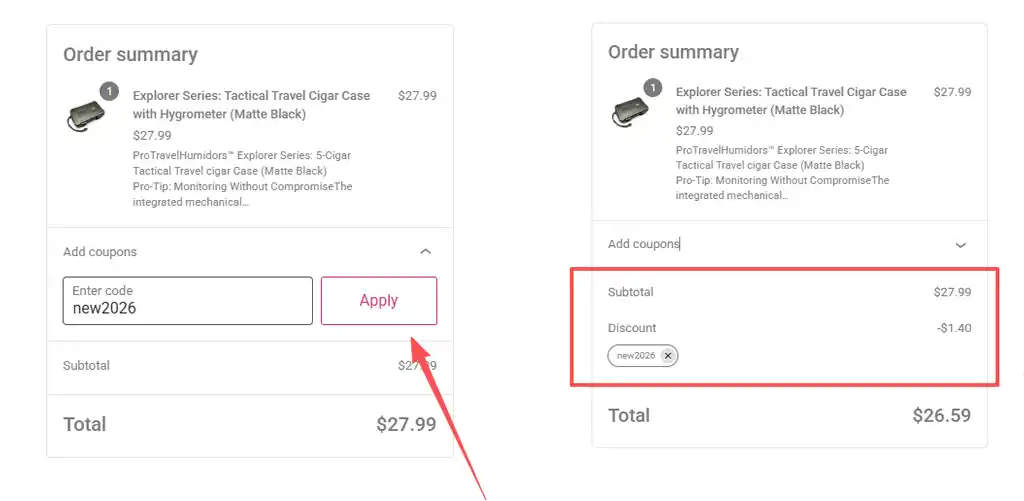
Step 3: Verify the discount has been applied
Once applied, the page will refresh and the order total will decrease. You should see a discount line (e.g., “Coupon: SAVE10 – $10.00”) in the order summary. If the total does not change, check whether the code worked or if an error message appears.
Step 4: Common problems and how to fix them
Common problems
| Problem | Possible Reason | Fix |
|---|---|---|
| “Invalid coupon” | Typo, expired, or not applicable to current items | Check spelling/hyphens; confirm validity and scope |
| “Coupon not applied” | Conditions not met (minimum spend, category restriction) | Read coupon terms; verify cart items meet requirements |
| Cannot combine coupons | Some coupons are single‑use only | Use the best one, or contact support |
| No reaction after clicking Apply | Browser cache or plugin conflict | Refresh page, or try incognito mode |
Pro Tips to Successfully Use Coupon Code at Checkout
- Copy, don’t retype – avoid typos by copying the code from the source email or website.
- Check expiration dates – most codes are valid for a limited time.
- Read the fine print – some codes require a minimum cart value or only apply to specific product categories (e.g., Explorer Series).
- Test before finalizing – if a code fails, remove it and try another one before completing the purchase.
If the problem persists, please reach out via the Contact Us page with your coupon code and cart screenshot — we will respond within 24 hours.
Step 5: Ready to save? Explore more deals
Coupon codes are the easiest way to get a better deal. Whether you are buying a tactical‑grade ABS travel humidor for yourself or a premium cigar gift set for a friend, using a discount code correctly makes your shopping experience even smarter.
If you are looking for high‑value gift ideas, visit our Gift Sets page. That page regularly updates exclusive discount codes, curated recommendations, and limited‑edition gift collections — the perfect starting point for finding cigar gifts.